
For Android · no internet
PillsTracker
Your phone remembers the pills. You get on with life.
Reminds you on time. Even when you're busy.
Reminds you to take your medication, logs each dose with a single tap and tells you how many days a pack will last. The app has no internet permission, so your dose history never leaves the phone.
Only what you actually need
Zero network access
No internet permission. Check it yourself in Android settings.
Reminders that arrive on time
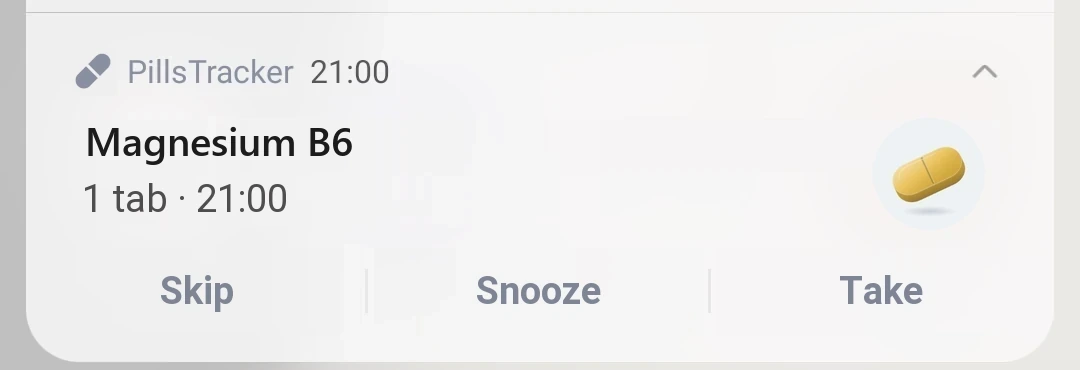
Exact alarms, restored after a reboot, plus a check of your phone's settings.
One tap
"Take" with no confirmation. Several medications at the same time: one "Take all" button.
Supply in days
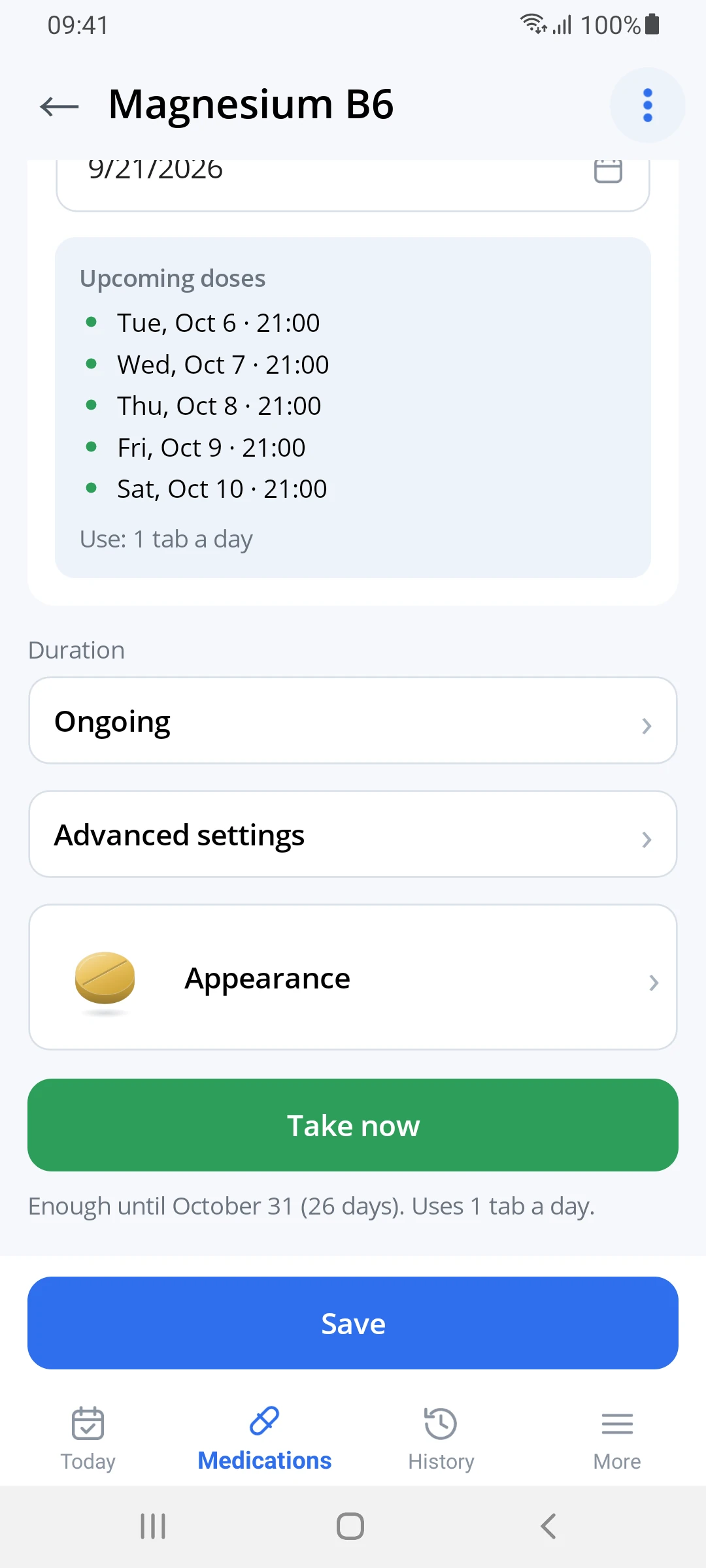
"Enough until October 31 (26 days)". Half tablets are counted exactly.
What youwon't find
- on purpose- AccountsOpen it and start. No email, no password.
- CloudYour data stays only on your device.
- AdsNo banners, no trackers.
- SubscriptionEvery feature is available from day one.
- PressureNo badges, no guilt for a missed dose.
Reminders
The reminder arrives even when the phone is asleep
If a reminder doesn't arrive on time, nothing else matters.
- Exact alarms. A 21:00 reminder arrives at 21:00, not "somewhere around then".
- Survives a reboot. After the phone restarts, the schedule restores itself.
- Tips for Samsung, Xiaomi, Huawei. The app shows where your phone's system puts apps to sleep and how to stop it.
- Repeats if you don't respond. No reaction? It reminds you again in 10 minutes, up to three times.
Daily timeline
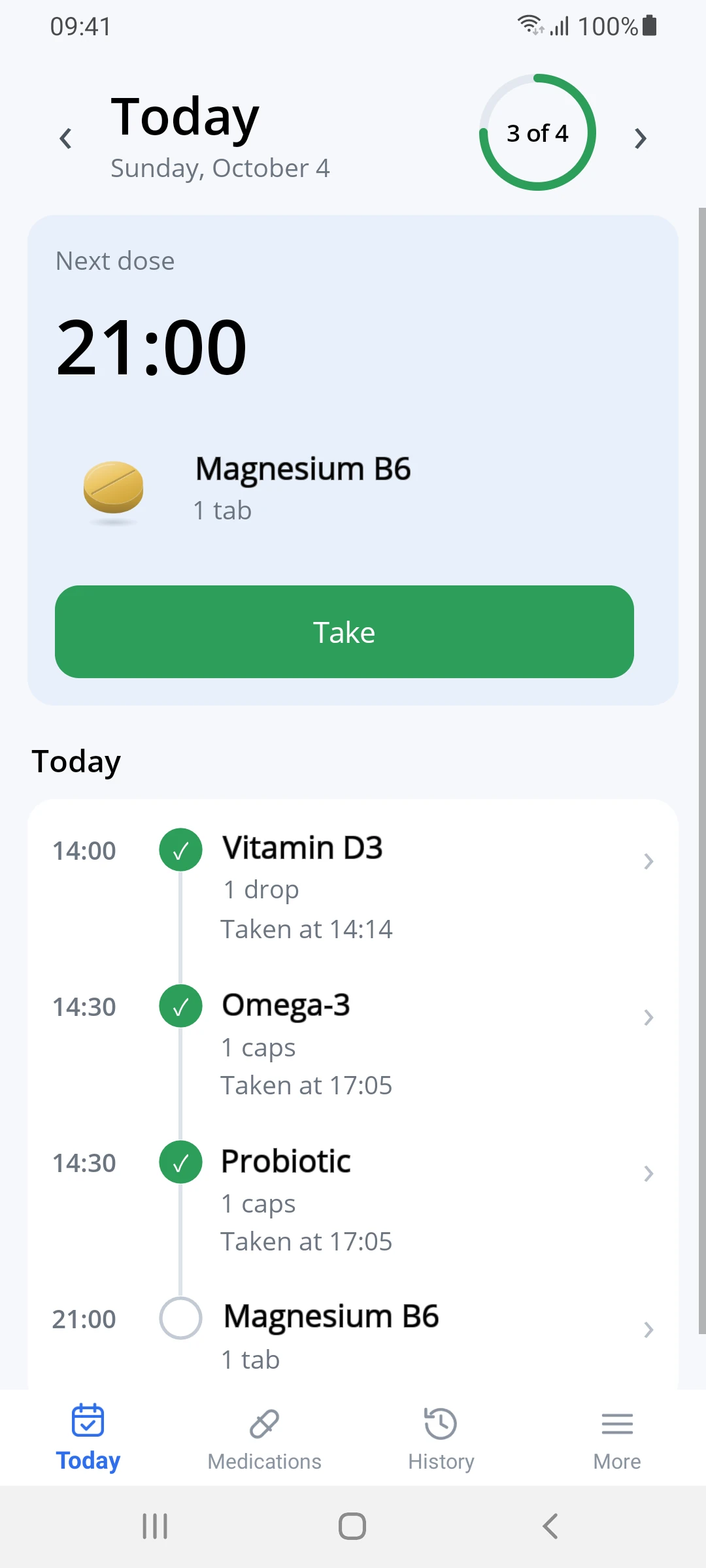
What to take now and what comes next, on one screen
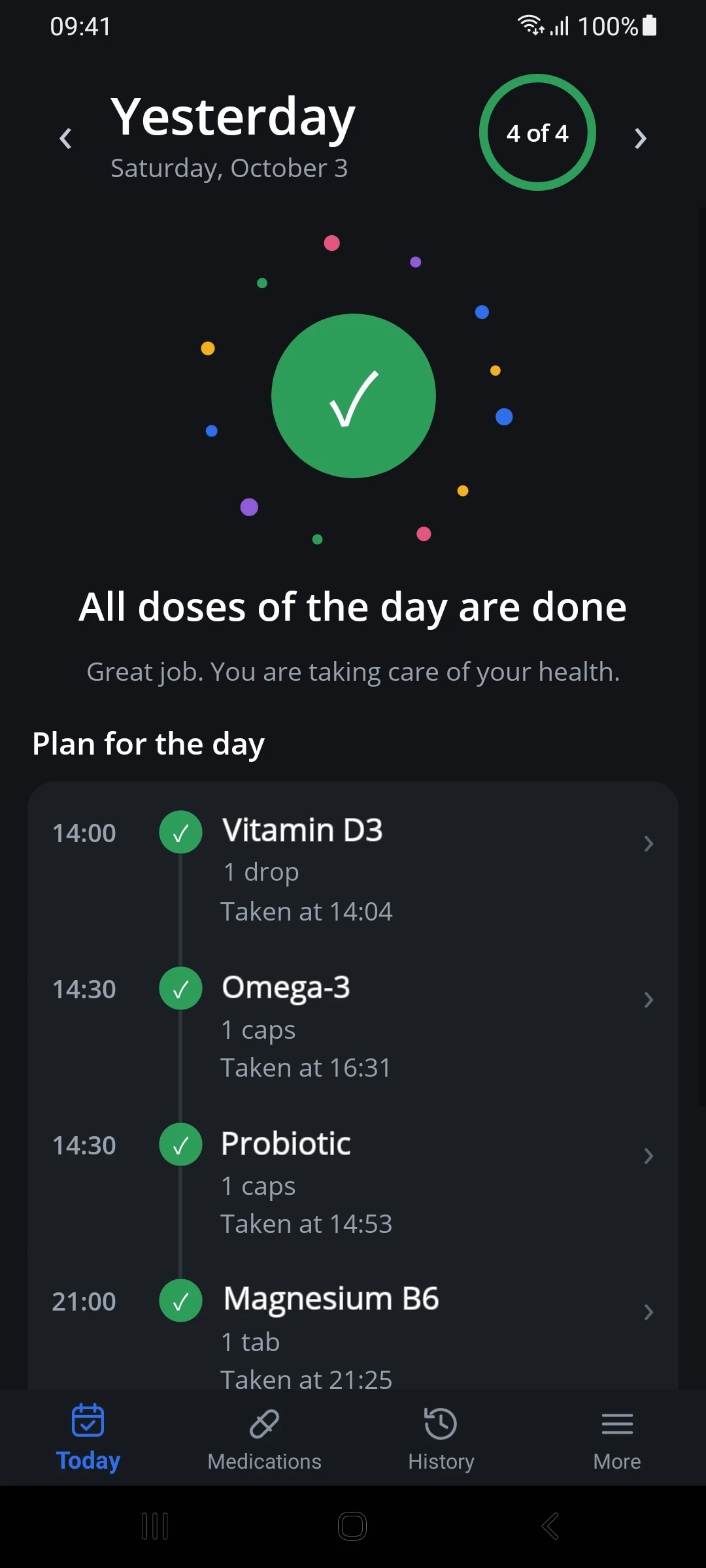
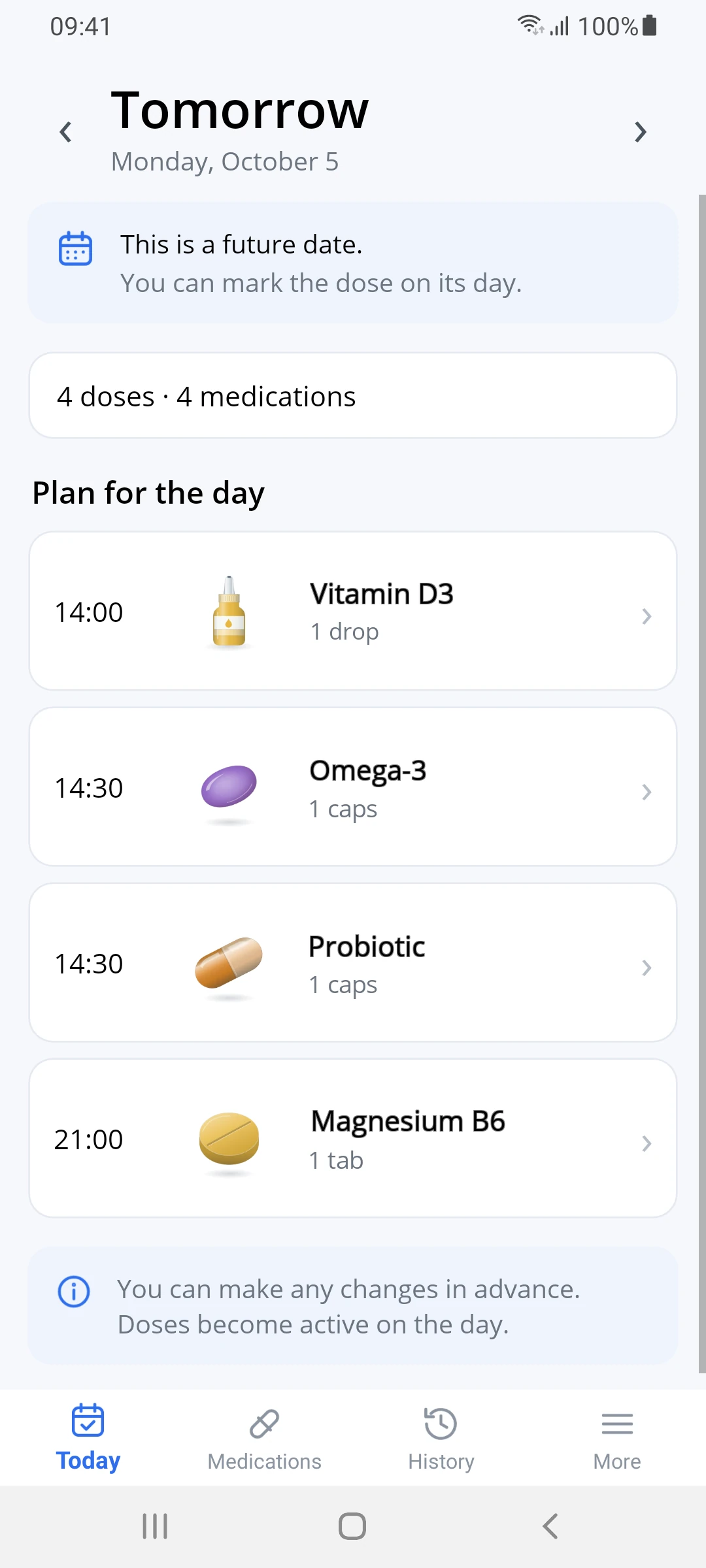
A vertical timeline instead of a round pill organizer. The next dose is shown large, overdue doses sit at the top, and taken ones fold away. Tomorrow's plan is visible in advance.
- One tap. No "Are you sure?". Tapped by mistake? Just undo it.
- Several medications at the same time: one notification and a "Take all" button.
- Log a dose later with the actual time if you forgot to tap.
Supply
See in advance when a medication will run out
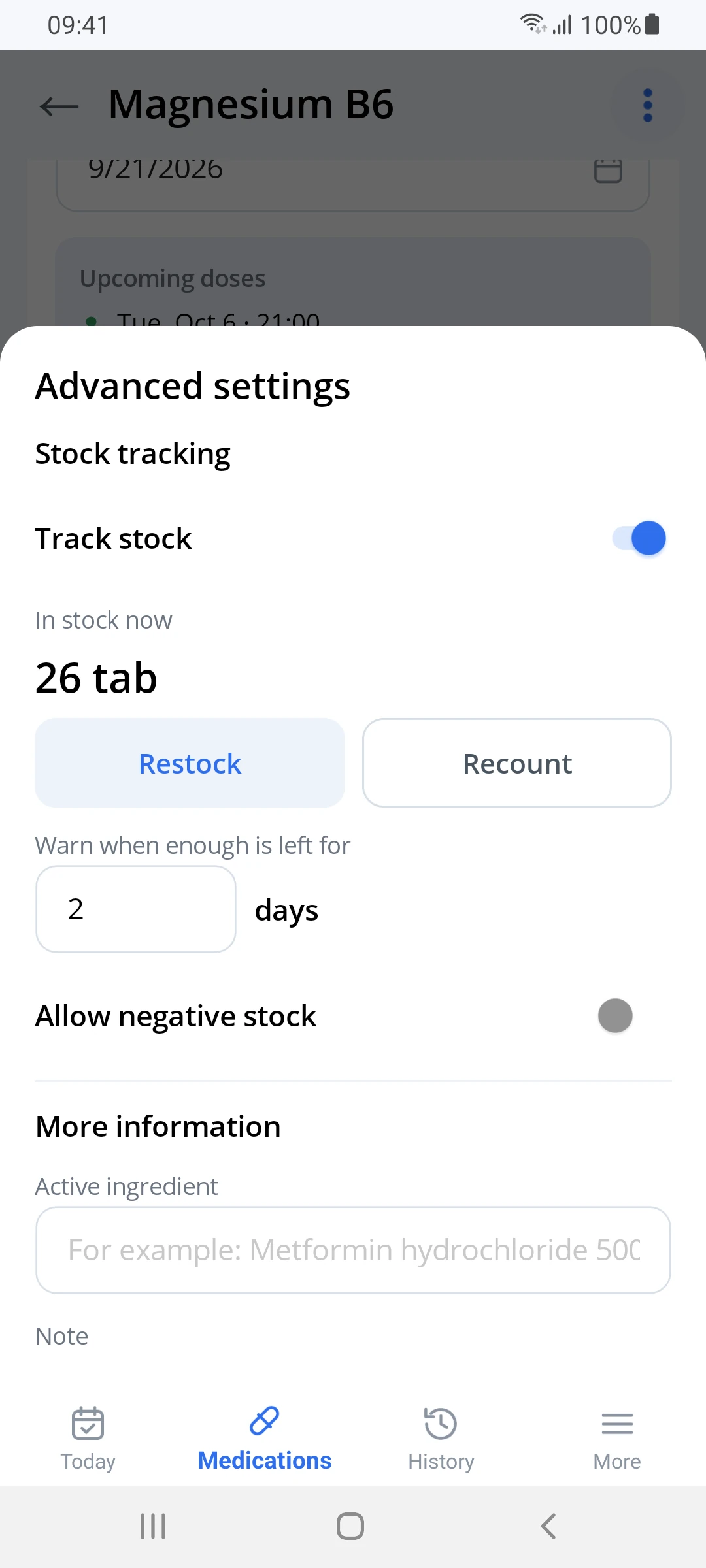
Supply is counted in days, not just pills: 14 tablets is a week at two a day and almost a month at half a tablet. Each dose is deducted automatically. Bought a new pack? Tap "Restock".
"Enough until October 31 (26 days)."This is how it looks on the medication card. When the supply gets close to the threshold, "Time to restock" appears. For a course, the app also warns you if the supply won't last until it ends.
- Halves and quarters are counted exactly, with no creeping rounding errors.
- The threshold in days is adjustable. By default it warns you 7 days ahead.
Medication appearance
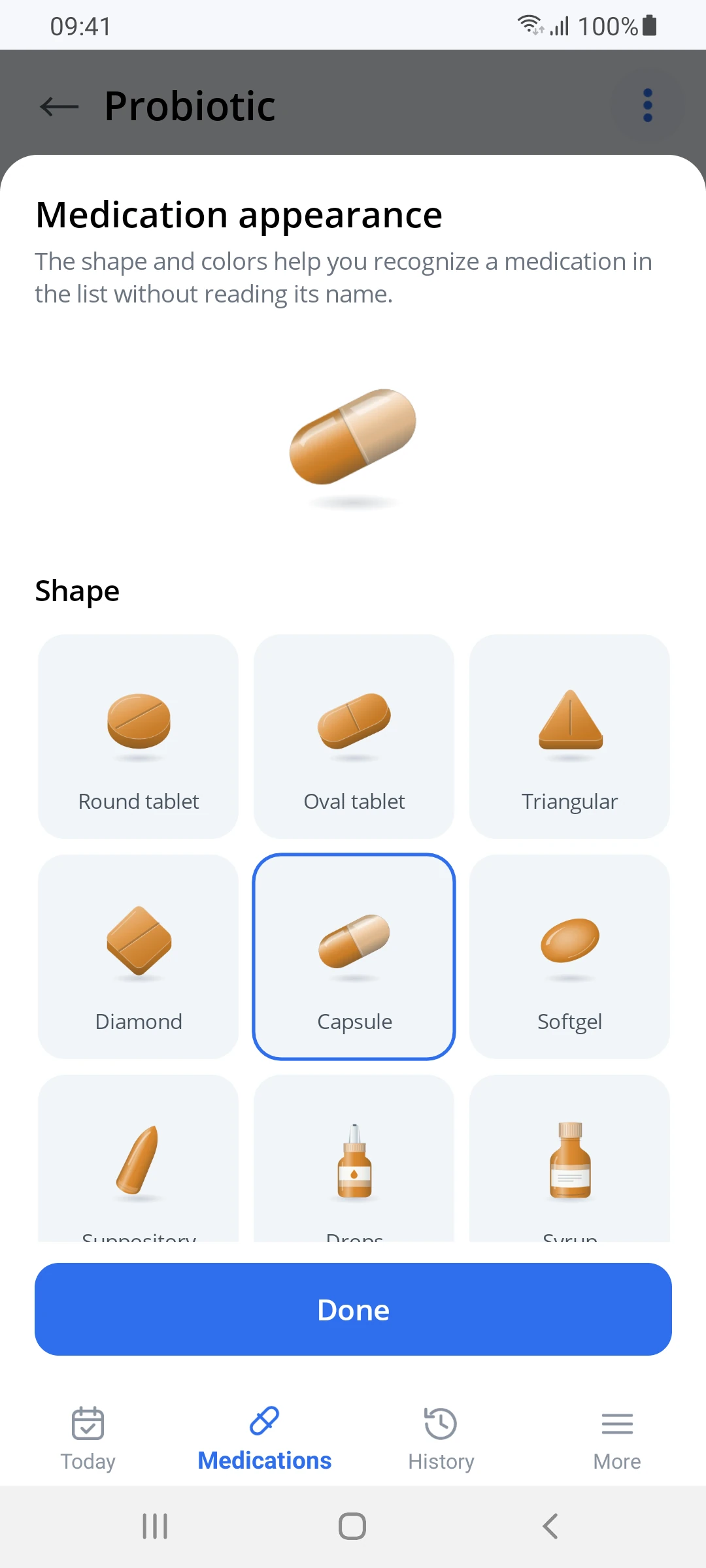
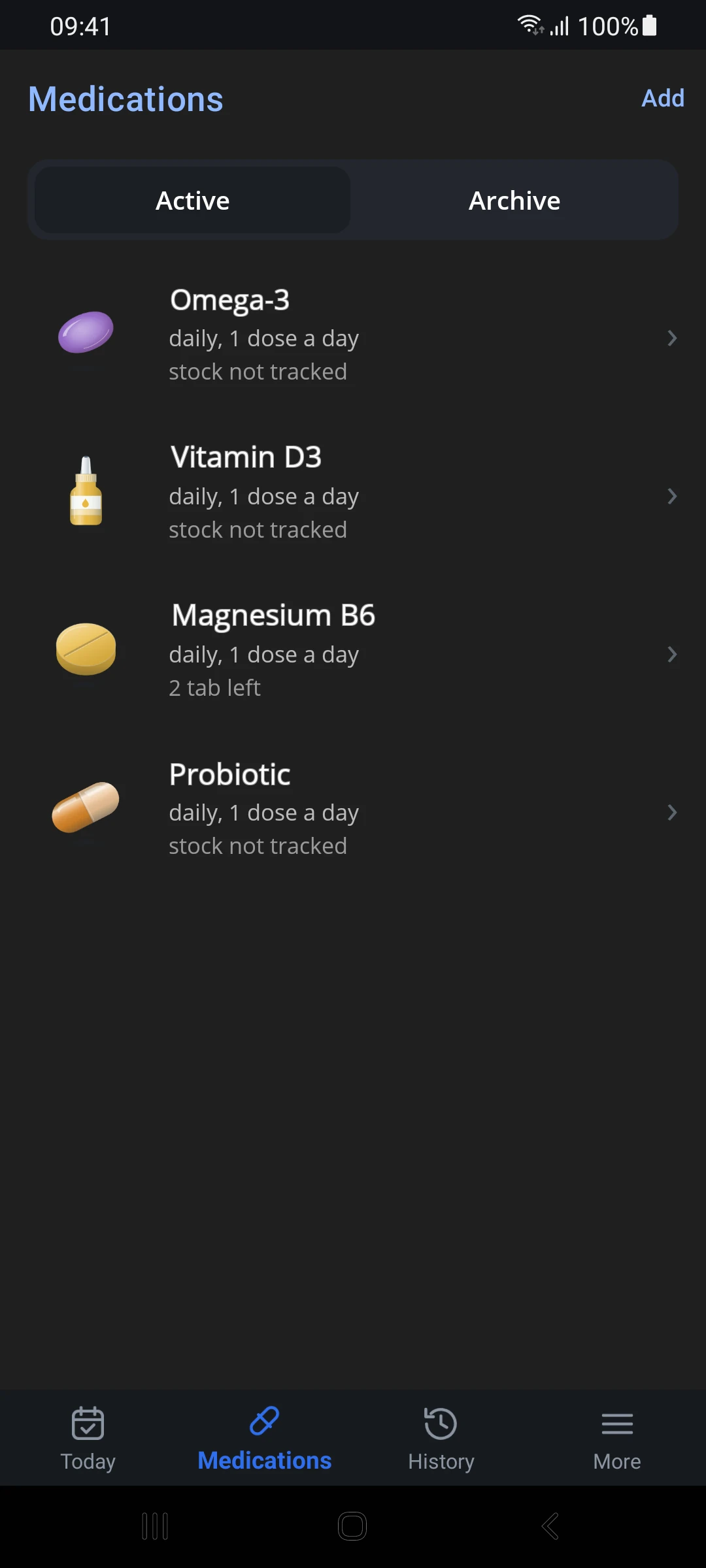
Recognize the pill in the timeline without reading its name
Pick the shape from pictures: the one that looks most like your medication. Then pick a color. Shape and color work together, so medications are easy to tell apart.
Statistics
Statistics that help, not scold
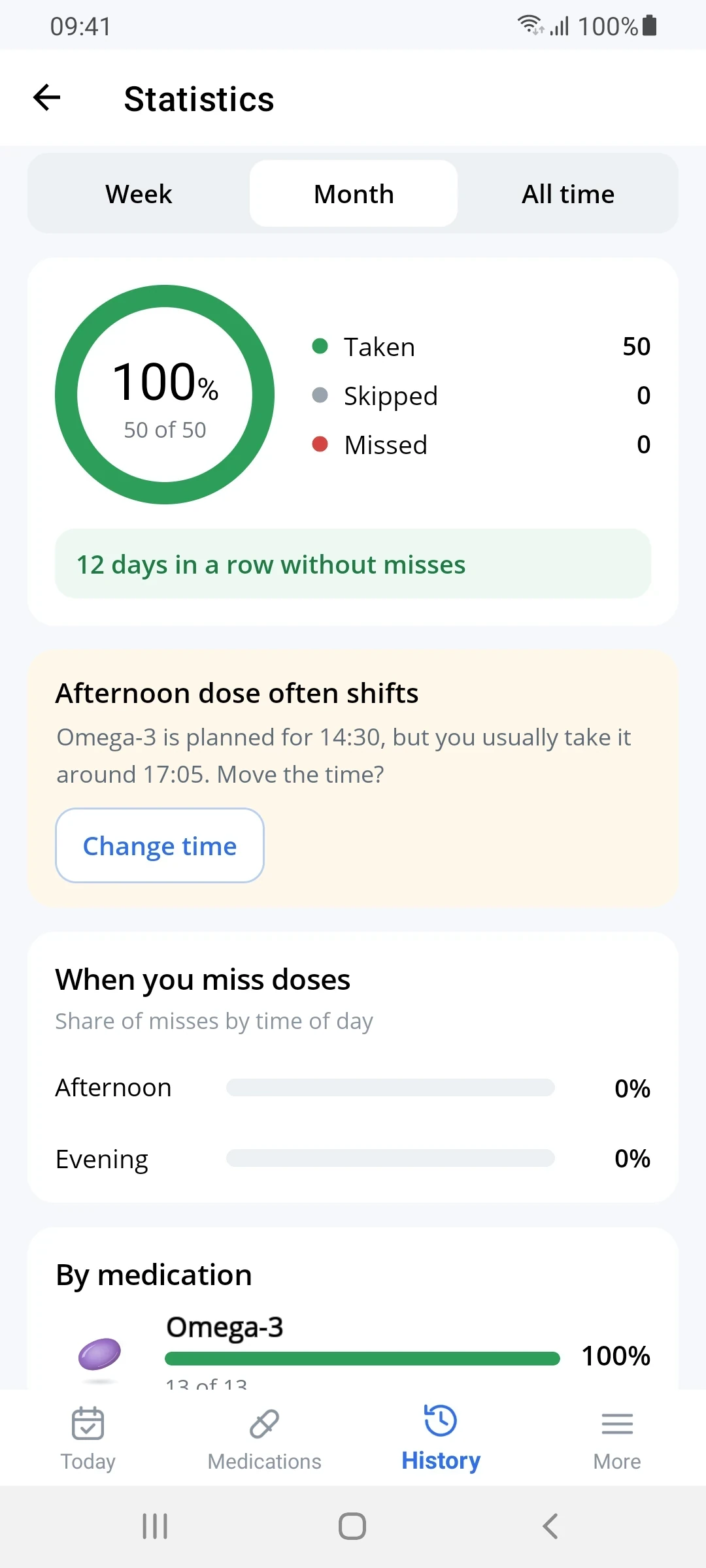
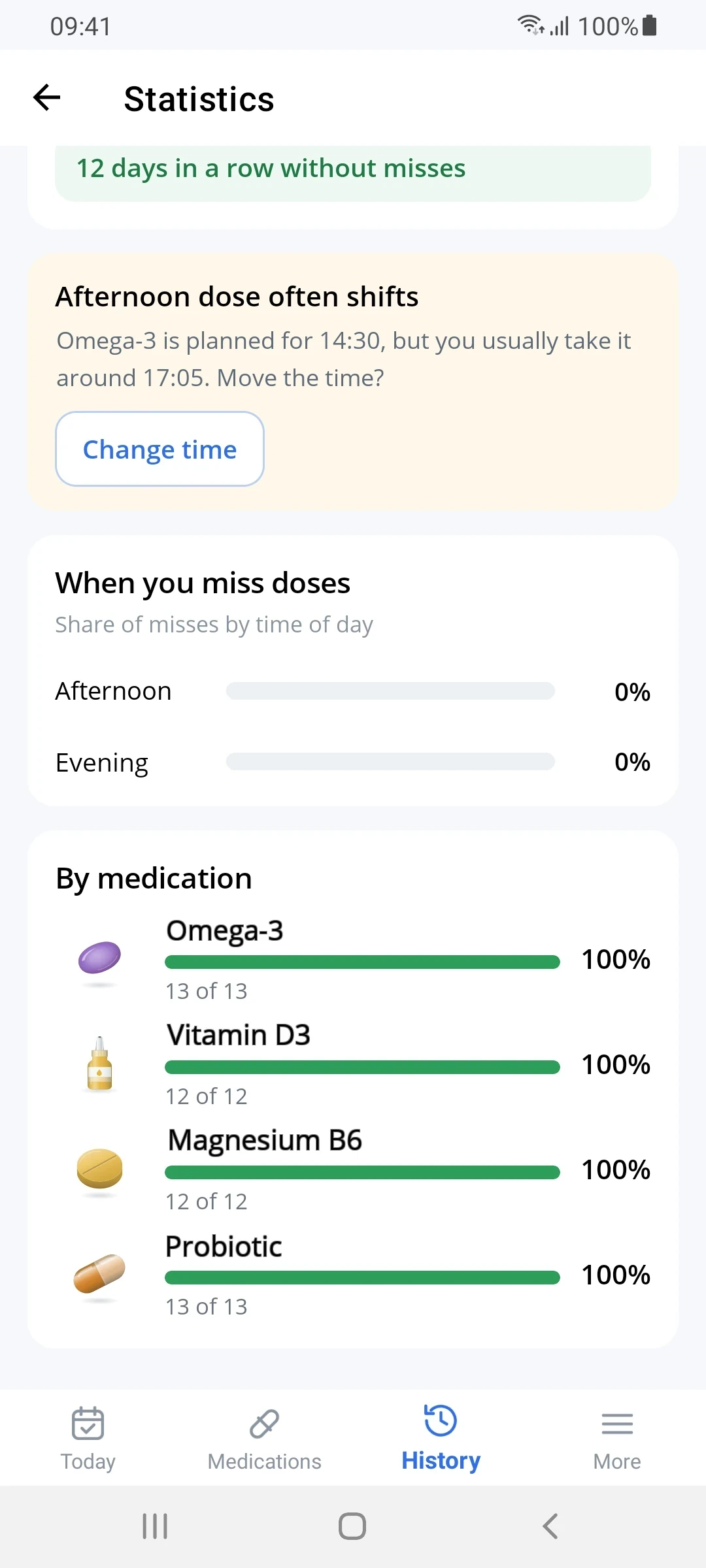
The app notices patterns: which doses get missed more often and how far the actual time drifts from the schedule. If a dose keeps shifting, it offers to change the time with one button.
No rewards, badges or "you broke your streak!". Pressure from a counter can push people to log doses they didn't take, and that spoils the data.
Privacy
The app doesn't send your data off the device
A promise like "we don't sell your data" is hard to verify. A missing permission is easy to check, and you don't have to take our word for it:
- Settings → Apps → PillsTracker
- Open Permissions: only notifications and alarms are there
- There is no "Internet" or "Network" entry.
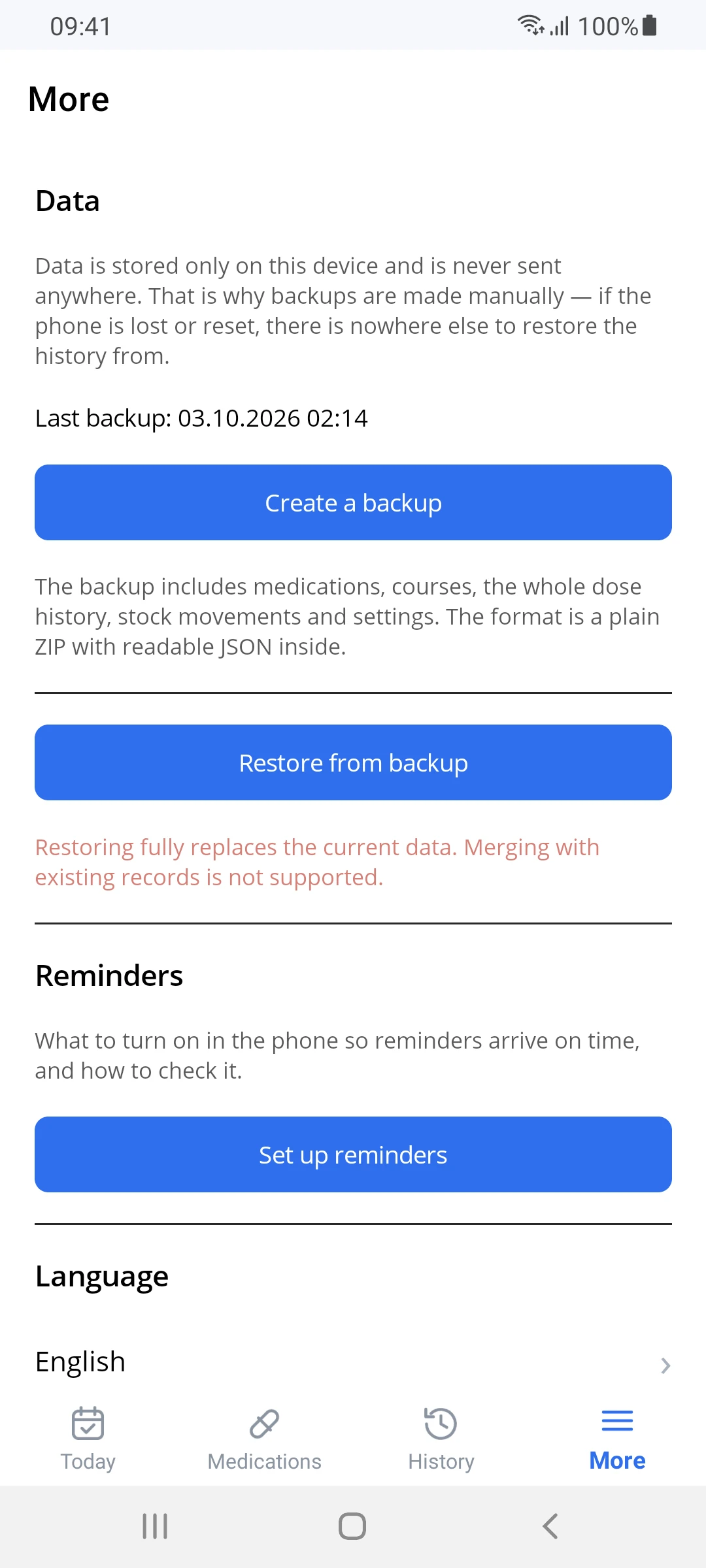
You can move your data yourself. A backup is a plain ZIP with readable JSON: medications, courses, the full history and supply changes. Moving to a new phone takes one file.
FAQ
Frequently asked questions
Does it need the internet?
No. The app works fully offline and has no permission to send data.
What happens when I change phones?
Create a backup in the "More" section and restore it on the new phone. The backup is a single ZIP file you can transfer any way you like.
Why are reminders late on some phones?
Samsung, Xiaomi, Huawei and other phone makers put apps to sleep to save battery. On first launch PillsTracker shows what to turn on for your particular phone, and a test notification checks the result in 10 seconds.
Can I take half a tablet?
Yes. A dose can be fractional and different for each time of day: "08:00 - 1 tablet, 14:00 - 0.5 tablet". The supply is deducted exactly.
What about "as needed" medications?
There is an "as needed" mode: no schedule and no reminders, just a "take now" button and an entry in the log.
Is there an iPhone version?
Not yet. Android 8 or later only.

Everything you need to take your medication. Nothing extra.
Coming soon toGoogle PlayA little help, every day.